KerfPilot – Paid Beta License Activation
Follow these steps to activate your Paid Beta license on your machine. This process binds your license to your PC using a Machine ID.
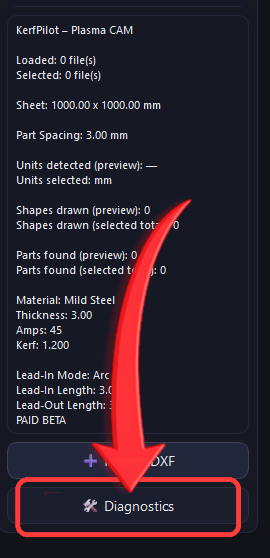
Launch KerfPilot and click Diagnostics at the bottom-left of the main screen, directly under the Import DXF button.
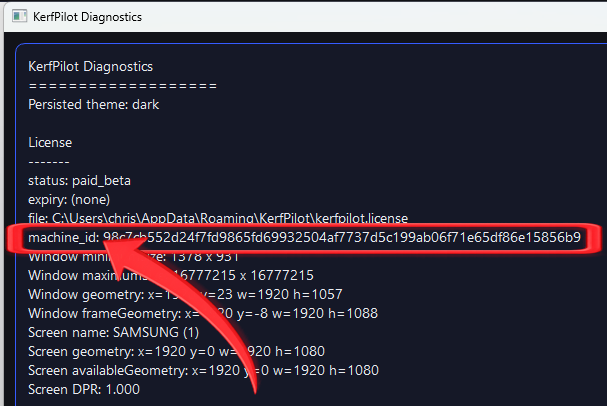
In the Diagnostics window, locate the line starting with machine_id:.
Copy only the long number shown on that line.
⚠ Do not copy window size, geometry, or any other diagnostic values.
Open the License Activation link from your purchase email. Paste your Machine ID into the form and generate your license file.
Download the generated .license file to your computer.
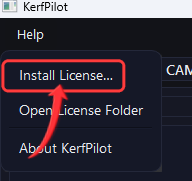
Return to KerfPilot and open the menu: Help → Install License…
Select the downloaded license file when prompted.
Close and reopen KerfPilot. You should now see PAID BETA displayed and all paid features unlocked.